
Draw a Stickman: EPIC 2
HitcentsAdventure
3.721.04K Reviews
- Version
- 1.6.9
- Installs
- 10.00M
- Age Rating
- Everyone
Screenshots
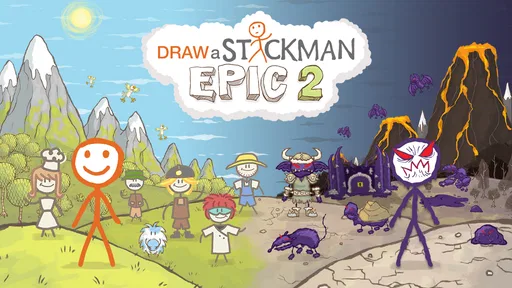
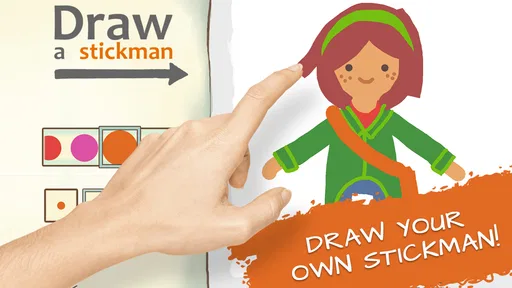
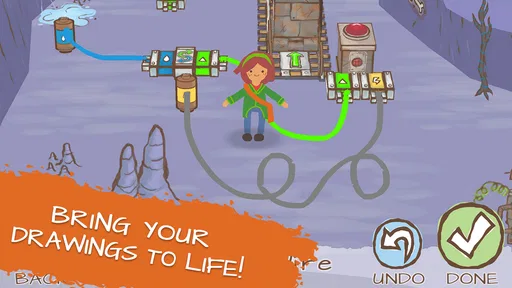
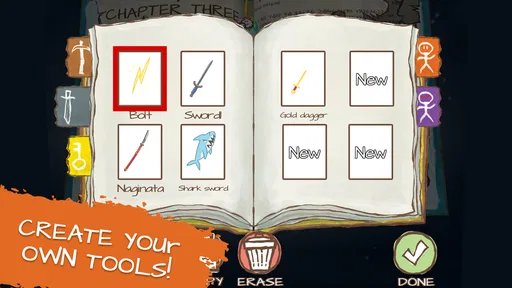
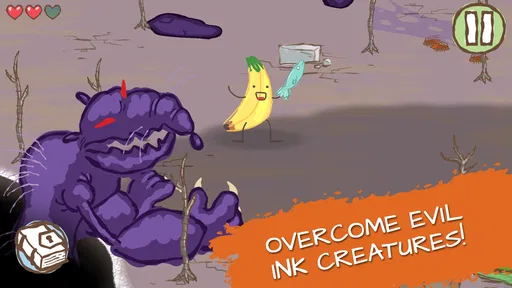
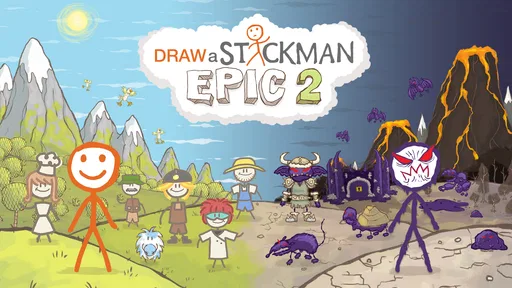
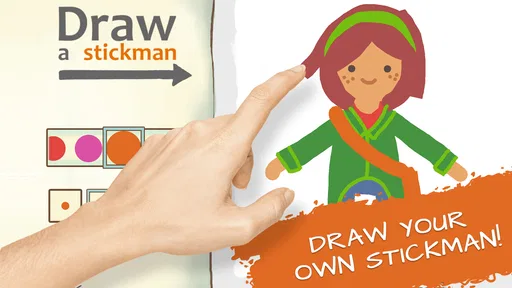
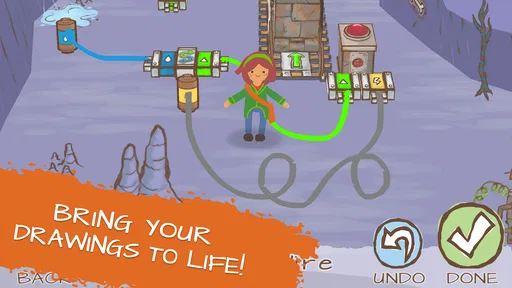
Our Review of Draw a Stickman: EPIC 2
 Analysis by Appyee
I went into Draw a Stickman: EPIC 2 expecting a simple drawing game, but its best moments come from the way drawing becomes part of the adventure rather than a separate gimmick. You create a stick character, move through illustrated environments, and use your own sketches to interact with the world. That basic idea is easy to understand, yet it gives the game a playful sense of control that many ordinary adventure titles do not have.
This is a free adventure game from Hitcents, aimed at Everyone, and it has been available since January 8, 2016. Its current version is 1.6.9, and it runs on devices using Android 7.1 or later. The game has attracted more than ten million installs, so it is clearly not an obscure experiment. Still, popularity is not the same as universal appeal: the experience works best for players who enjoy creativity, light puzzles, and a relaxed pace rather than demanding combat or highly competitive progression.
How the drawing adventure feels today
The central appeal is immediate. Instead of controlling a fully designed hero, I get to shape the main character myself. That personal touch makes even a small movement feel more amusing, because the character looks like something I made rather than a standard avatar selected from a menu. The hand-drawn presentation also gives the game a storybook quality, with environments that feel intentionally simple and expressive.
What makes the concept more interesting is that drawing is not limited to decoration. The game asks me to think visually about how a sketch can help in the current situation. A tool, object, or environmental response may depend on what I draw and where I place it. This turns the screen into a kind of puzzle canvas. I am not only asking, “Where should I go?” but also, “What could I draw here that changes the situation?”
That approach makes the game particularly suitable for short sessions. I can play while waiting for an appointment or during a quiet break without needing to remember a complicated control system. The game is also a natural fit for children and families because the premise is friendly and the age rating is Everyone. Adults who like inventive puzzle design may enjoy it too, although players looking for a deep adventure role-playing game will probably find the structure lightweight.
In everyday use, I would recommend starting with a few minutes of experimentation instead of trying to solve every scene immediately. The first drawing that comes to mind is not always the most useful one. Looking at the nearby objects, open paths, and visual clues before acting usually makes the puzzles feel less random. This is one of the first practical lessons the game teaches: observation matters as much as drawing skill.
Drawing is the real control system
The unusual control scheme is also the source of the game’s occasional friction. Traditional adventure games teach me to rely on movement buttons, item menus, and predictable interactions. Here, the answer may depend on a gesture or sketch, so the result can feel wonderfully clever when it works and slightly unclear when it does not. If you prefer explicit instructions, the open-ended nature may be frustrating.
I found that it helps to treat failed attempts as part of the puzzle rather than as wasted progress. A strange-looking drawing can reveal how the game interprets the input, and that information often makes the next attempt easier. The experience rewards curiosity more than precision. You do not need to be an artist, but you do need to be willing to try an idea that might look silly.
One useful habit is to keep drawings simple. A complicated sketch is not automatically more effective, and a crowded screen can make it harder to understand what changed. Simple shapes are easier to place and easier to evaluate. This is a small but important trade-off: the game celebrates creativity, yet practical solutions are often clearer than elaborate ones.
Touch controls are central to the experience, so the quality of the session depends partly on the phone or tablet being comfortable to use. A larger screen can make drawing and examining the environment easier, while a smaller display may feel more cramped when several interactive details are close together. I would choose a tablet for relaxed family play, but a phone remains convenient for quick personal sessions.
What the current version means for players
The current version, 1.6.9, is the most relevant reference point for anyone installing the game now. That matters more than older impressions because mobile games can change through updates, compatibility adjustments, and refinements over time. I would judge the present experience on its own terms rather than assuming that every comment written years ago describes exactly what a new player will see.
The game’s long availability also explains why it can feel more established than a newly released drawing experiment. Its identity is clear: this is a compact, creative adventure built around sketching and interaction. The core idea has had time to become recognizable, and the large install base suggests that the format has found an audience beyond people who normally seek traditional puzzle games.
At the same time, the version number should not be mistaken for a promise of a constantly expanding modern service. I would approach it as a finished-style mobile adventure rather than a game that needs daily attention. That is a strength if you want something self-contained and easy to revisit. It is less attractive if you expect frequent new systems, competitive events, or a constantly changing world.
The store rating sits at about 3.7 from roughly 378,000 ratings, with around 21,000 written reviews. I read that overall response as a useful warning against exaggerated expectations. Many players can appreciate the idea while still noticing uneven puzzle clarity, control sensitivity, or limits in replay value. In other words, the concept is strong enough to attract a large audience, but it is not designed to satisfy every type of adventure player.
How it compares with ordinary adventure games
Compared with a conventional point-and-click adventure, this game gives me less emphasis on dialogue trees, inventory management, and long narrative sequences. The pleasure comes more from manipulating the scene through drawing. That makes it faster to understand and more tactile, but it may feel less substantial to someone who wants a detailed story or a large cast of characters.
Compared with a standard puzzle game, it offers a stronger sense of personal expression. Many puzzle apps present fixed boards with one intended solution. Here, the act of making something is part of the solution process. That freedom is refreshing, although it can also make the rules feel less exact. Players who enjoy discovering systems may love that ambiguity; players who want clean logic and immediate feedback may prefer a more conventional puzzle design.
It also differs from action-focused mobile adventures because the pressure is relatively low. The main challenge is figuring out what to draw and when to use it, not mastering rapid attacks or reflex-heavy movement. I would choose this for a calm session with a child, a creative break, or a casual puzzle mood. I would not choose it when I want intense battles, competitive rankings, or a long-term character-building routine.
Free access and the practical cost question
The game is free to download, which makes trying the central idea straightforward. That is important here because the drawing mechanic is personal: some people will immediately enjoy it, while others will find the interaction too loose. A free starting point lets you discover which group you belong to without committing to a purchase before understanding the controls.
There are in-app purchases ranging from $0.99 to $99.99 per item. That broad range is worth noticing before handing the device to a child. I would recommend checking purchase protections on the phone or tablet, especially in a family setting. The free entry is appealing, but responsible spending settings are still sensible whenever a game includes optional purchases.
My advice is to play enough of the opening experience to decide whether the drawing mechanic itself feels rewarding. Do not buy anything simply because a puzzle has temporarily confused you. The main question is not whether an extra purchase can make progress easier; it is whether you enjoy observing a scene, forming a visual idea, and testing it. If that loop does not feel satisfying, spending more will not fix the underlying mismatch.
Who will get the most from it
I think the strongest audience is made up of curious players who like experimenting without the pressure of a timer or a competitive ranking. Children may enjoy the ability to make their own stick character, while adults can appreciate the unusual puzzle structure and the humor of seeing a rough sketch become part of an adventure. It is also a good choice for parents looking for something more interactive than a passive cartoon app.
Teachers, caregivers, or parents could use it as a casual prompt for creative problem-solving. After a scene, it is easy to ask why a particular drawing worked, what another solution might have been, or how the environment suggested an idea. The game is not a formal educational tool, but its design naturally encourages observation, trial and error, and thinking about cause and effect.
I would be more cautious recommending it to players who dislike imprecise controls, repeated experimentation, or a playful visual style. Fans of large open worlds may also feel restricted, because the experience is built around guided scenes rather than unrestricted exploration. Likewise, anyone seeking a deep story with extensive character development should look toward a narrative adventure instead.
Another realistic use case is shared play. One person can hold the device while another suggests what to draw, which turns a small puzzle into a conversation. This works especially well with children who enjoy proposing imaginative solutions. The trade-off is that shared play can expose the game’s ambiguity: two people may have different ideas about what a scene is asking them to do, and the game may not always explain the intended interaction clearly.
Small techniques that make progress smoother
My first practical tip is to inspect the whole scene before drawing. Important clues may be placed around the immediate path, and rushing toward the most obvious object can lead to unnecessary trial and error. A short pause to identify barriers, open spaces, and anything that looks unusually interactive often saves more time than repeatedly sketching random objects.
Second, use the environment as a guide to scale. A drawing that is technically correct but placed too far away may not help, while a simple sketch near the relevant point can produce a clearer result. This is not about artistic quality; it is about treating position as part of the instruction. The game becomes easier when I think of each drawing as a tool placed in a specific location, not merely an image on the screen.
Third, remember what happened after each attempt. If a drawing changes the scene even slightly, that response is valuable information. I try not to erase the lesson along with the failed sketch. This mindset is particularly useful for younger players, because it turns mistakes into clues instead of making them feel like punishment.
A fourth tip is to avoid overcomplicating cooperative play. If a child is playing with an adult, let the child suggest the first idea before offering a solution. The point is not to finish as quickly as possible; it is to notice how the game responds to imagination. Adults who solve everything immediately may complete the scene faster but remove much of the creative appeal.
Where the experience still falls short
The biggest limitation is that creative freedom can sometimes feel like uncertainty. When a puzzle has a very specific expected interaction, the player may not know whether the problem is the idea, the placement, or the way the drawing was made. A traditional puzzle game usually communicates its rules more directly. Here, part of the challenge is learning the game’s visual language, and not everyone will enjoy that learning curve.
The presentation is charming, but players who value visual complexity may find it modest. The hand-drawn look serves the concept well, yet it does not aim for the detailed environments or cinematic spectacle found in larger mobile adventures. I see that as an intentional style choice rather than a technical flaw, but it still affects who will be impressed by the game.
Replay value is another consideration. Once I understand the solutions and have explored the main ideas, the surprise naturally decreases. The game is better suited to a focused adventure and occasional replay with someone else than to endless daily use. If you want one mobile title to occupy you for months, a live-service game or a larger role-playing adventure may be a better fit.
The free model also requires a little attention from families because of the available purchase range. The game’s Everyone rating makes it approachable, but age suitability and spending suitability are not exactly the same thing. I would configure device-level purchase controls before letting a younger player explore independently.
What I would watch before choosing it
For a new player, the most important thing to watch is how quickly the drawing rules become understandable. If the first sessions make you curious, the game has probably found its audience. If you spend more time fighting the controls than thinking about the adventure, that is a strong sign that a conventional puzzle game would serve you better.
Existing players should pay attention to the current version when assessing compatibility and overall feel rather than relying only on old discussions. The confirmed version is 1.6.9, and the minimum operating system is Android 7.1. For iOS users, the practical step is to check the current platform listing before installing, while Android users should make sure their device meets the stated system requirement.
I would also watch how the game fits into your routine. It works nicely as a short, creative diversion and as a shared family activity, but it is not the kind of title I would keep open all day. Its value comes from the quality of each small discovery, not from a constant stream of rewards or a long-term competitive goal.
After spending time with it, my view is positive but specific. This is a drawing-led adventure for curious players, not a conventional action game disguised with sketches. Its best feature is the feeling that my own idea can become part of the solution. Its weakest point is that the same freedom can make some interactions feel unclear. If you enjoy experimentation, gentle puzzles, and a playful hand-drawn world, I think it is worth trying while free. If you need precise instructions, deep progression, or high replay value, I would choose another adventure instead.
Hitcents has built an experience with a clear personality, and that personality remains its main reason to play. The large audience and long-running presence show that the concept connects with many people, while the middling average rating reminds me to recommend it with realistic expectations. For me, the deciding question is simple: do you want to solve problems by drawing your way into the world? If yes, Draw a Stickman: EPIC 2 offers a memorable change from the usual mobile adventure formula.
Verdict
Strengths of Draw a Stickman: EPIC 2
- Creative drawing mechanics make puzzles feel interactive and personal.
- Charming hand-drawn art style gives the adventure a distinctive look.
- Exploration rewards experimentation with different tools and drawings.
- Simple controls are accessible for younger players and casual gamers.
- Levels offer plenty of playful moments beyond straightforward puzzle solving.
Limitations of Draw a Stickman: EPIC 2
- Some puzzles can feel vague without obvious clues or guidance.
- Drawing accuracy may be frustrating on smaller phone screens.
- The campaign is relatively short compared with larger adventure games.
- Repeated attempts can become tedious when a solution is not clear.
- Extra content and features may depend on in-app purchases.
Similar Picks in This Category
View All
Roblox
Roblox Corporation4.2

Pokémon GO
Niantic, Inc.3.5

Ninja warrior: legend of adven
TOH Games4.6

Ninja Arashi
Black Panther4.6

Eyes - The Horror Game
Fearless Games sp. j.4.5

Critical Action:Gun Strike Ops
FPS Shooter & Action Game4.3
Frequently Asked Questions
What is Draw a Stickman: EPIC 2?
Draw a Stickman: EPIC 2 is an interactive adventure game in which you create and control a hand-drawn stickman hero. You sketch tools, weapons, and objects directly on the screen to solve puzzles, defeat enemies, and explore imaginative levels. The drawing mechanic is simple enough for younger players, but the puzzles and hidden collectibles give the game enough variety to keep older players interested.
How does the drawing gameplay work?
The game provides different pencils and drawing abilities that can be used during each level. Depending on the situation, you may draw fire, clouds, axes, bridges, or other helpful objects to overcome obstacles. The controls are generally easy to understand, although some solutions require experimentation rather than a single obvious answer. Your drawings become part of the action, making the gameplay feel more creative than a standard platform adventure.
Is Draw a Stickman: EPIC 2 suitable for children?
Yes, the game is generally suitable for children because it uses colorful cartoon artwork, playful animation, and non-realistic fantasy combat. There is no graphic violence, and the main focus is on creativity, exploration, and problem-solving. However, younger children may need occasional help understanding certain puzzles or managing the controls. Parents should also review the store listing for the current age rating and available purchase options.
Can the game be played offline?
Draw a Stickman: EPIC 2 is designed primarily as a single-player adventure and much of the core gameplay can typically be enjoyed without a continuous internet connection. Offline access is useful when traveling or when Wi-Fi is unavailable. Nevertheless, an internet connection may still be required for downloading the game, receiving updates, restoring purchases, or accessing certain platform-related features, depending on the Android or iOS version.
Is Draw a Stickman: EPIC 2 free to download?
Availability and pricing can vary between the Google Play Store and Apple App Store, as well as by region and promotional period. Some versions may be offered as a paid download, while others can include optional purchases or additional content. Before installing, check the official store page carefully for the current price, in-app purchase details, advertisements, supported devices, and the latest update information.
Play our best games!


